Having a collection of downloadable videos for your iPad is one of the smartest moves you can make as a Muslim parent. It lets you build a library of safe, pre-approved content for your toddler, ensuring you always have some calm, halal entertainment ready for those moments you need it most. Best of all? No internet connection or unpredictable algorithms required.
How Downloadable Videos Can Support a Calm Muslim Home
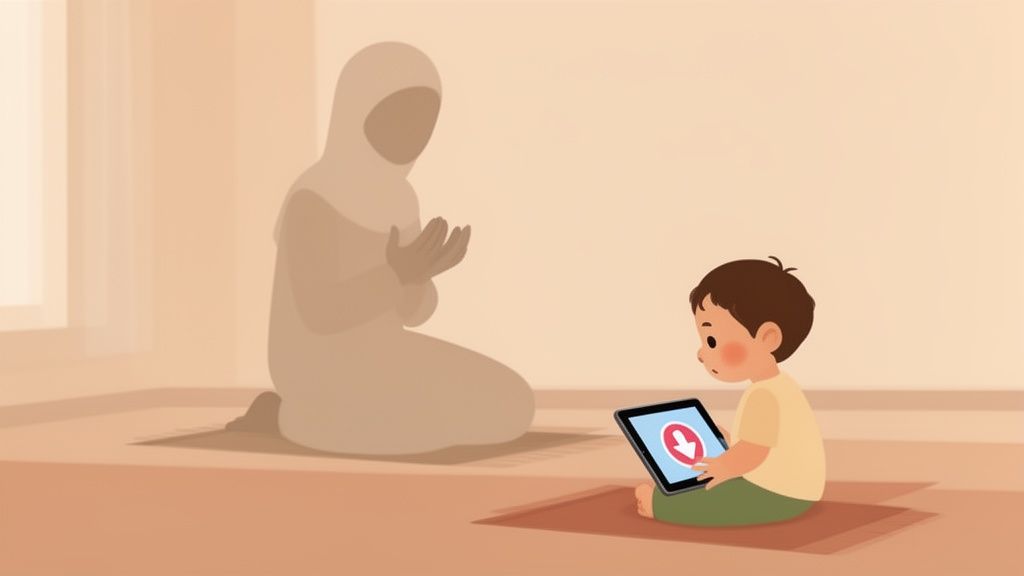
Let’s be real for a moment. Sometimes, you just need five minutes of peace. Maybe it's to complete your Salah without a little one climbing on your back, to get dinner on the table before Maghrib, or just to keep your toddler settled during a long car ride to visit family. In those moments, a little screen time can feel like a lifesaver.
The real challenge, though, is making sure what your child sees is safe, gentle, and actually aligns with your family’s values. This is where having downloadable videos for the iPad completely changes the game.
Regaining Control Over Screen Time
When you rely on streaming, you're handing control over to algorithms and auto-playing ads. An innocent video about farm animals can suddenly jump to something overstimulating or just plain inappropriate. It's a risk most of us don't want to take.
Downloading videos beforehand puts you firmly back in the driver's seat. You get to personally curate an offline library of content you’ve already vetted and approved. This one simple step eliminates the biggest anxieties tied to screen time:
- No Unexpected Ads: Your child won't be exposed to commercials for toys or content you haven't approved.
- No Inappropriate Suggestions: The next video that plays is one you’ve chosen, not one a random algorithm thinks your child will watch.
- No Internet Needed: This makes it perfect for travel, doctor's appointments, or any spot with weak Wi-Fi. You get a predictable, stress-free experience every single time.
By creating a pre-approved offline library, you transform the iPad from a source of potential stress into a reliable tool that supports your daily routines and helps maintain a calm, predictable environment for your child.
A Tool for a Muslim Household
The iPad is practically a household staple these days. It’s long been a go-to tablet for video, especially in the UK and USA. In fact, by 2024, data showed that over 40% of Americans owned an iPad, making it the default screen for children's media in countless homes. You can dig into more of these tablet usage trends on Statista. With it being so common, learning to manage it effectively is more important than ever.
For Muslim families, this isn't just about keeping kids busy; it's about creating moments of peace that fit into the rhythm of our Islamic life.
Think about it. It could be a quiet nasheed video that helps with the wind-down before bed, which is a huge part of establishing a soothing Islamic bedtime routine for toddlers. Or maybe it's a short, gentle story about Allah’s creations that keeps your little one happily occupied while you focus on your prayers. It’s all about using technology thoughtfully and with intention.
Setting Up Your iPad as a Safe Space for Your Child
Before you even start hunting for videos, the first and most critical job is to prep the iPad itself. The goal here is to build a secure "walled garden" — a digital playpen where your little one can only see and interact with what you’ve personally approved. Luckily, Apple makes this surprisingly easy to do.
Think of it as baby-proofing your house. You wouldn't leave cleaning supplies out, and in the same way, you don't want a curious toddler stumbling into the App Store, a web browser, or accidentally making in-app purchases. A few minutes spent on this setup now will save you a world of headaches later.
Using Screen Time for Foundational Safety
Your first port of call should be the iPad’s built-in Screen Time feature. You’ll find it right in the Settings app, and it’s your command center for creating a truly child-safe device. This tool is about much more than just limiting screen time; it's about locking down core functions you don’t want tiny fingers getting into.
Here are the absolute essentials I always recommend parents adjust:
- Disable App Store & In-App Purchases: Head over to
Screen Time > Content & Privacy Restrictions > iTunes & App Store Purchases. From there, you can set "Installing Apps" and "In-App Purchases" to Don't Allow. This one move is a game-changer, preventing any accidental downloads or surprise credit card bills. - Restrict Web Browsing: Under
Content & Privacy Restrictions > Content Restrictions > Web Content, you have options. You can either limit adult websites or, the much safer option for toddlers, select "Allowed Websites Only." Honestly, for a young child, it's best to remove the Safari browser from the home screen entirely. - Manage Allowed Apps: You can also hide native apps like Mail, Camera, or Photos. This is a great way to stop your child from accidentally deleting precious family memories or sending a string of emojis to your boss.
Guided Access: Your Secret Weapon
Once you've got Screen Time configured, your next best friend is Guided Access. This is a fantastic feature that locks the iPad into a single, specific app. It completely stops your child from swiping out of their video and wandering into other areas of the device.
Let's say you've just started a video for your toddler. You can enable Guided Access, and they are totally locked into that one app. They can't hit the home button, pull up the control center, or switch to anything else. It’s the perfect tool for making sure they stay within the safe video library you've curated.
To get it working, go to
Settings > Accessibility > Guided Access. Just flip it on and set a passcode. From then on, whenever you're in an app you want to lock down, a quick triple-click of the Home or Top button starts the session.
Using Screen Time and Guided Access together creates a powerful, secure digital space for your child. For families thinking about a dedicated device, buying a refurbished iPad Mini can be a really smart, budget-friendly way to go. Once you have these controls in place, you can feel confident that the device is ready for only the halal, parent-approved content you choose, making it much safer to explore things like the best Islamic apps for kids.
Building Your Library of Safe, Halal Videos
Alright, your iPad is now a secure little fortress for your toddler. The next step is the fun part: filling it with high-quality, halal videos they'll love. The most straightforward and worry-free way to do this is by using apps that let you download content directly. This keeps everything neat, tidy, and—most importantly—safe.
Going this route means you can skip the headaches of clunky workarounds or sketchy third-party sites. Instead, you'll be using trusted platforms where you can browse, pick, and save videos right to your device with a simple tap. It’s the best way to build a collection of downloadable videos for your iPad that you can trust.
How to Spot and Use the Download Feature
Thankfully, most kid-friendly video apps make downloading incredibly easy. Just look for a small icon near the video's title or thumbnail. It's usually one of two familiar symbols:
- A downward-pointing arrow (↓)
- A cloud with a downward arrow inside it
Tap that icon, and the app will start saving the video to your iPad’s local storage. You’ll typically see a little progress bar or circle. Once it's done, you can find the video in a special "Downloads" or "Offline" section inside the app. The next time you're without Wi-Fi, that video will be ready and waiting.
My Go-To Tip: I make it a Sunday evening ritual to download a handful of new videos. It’s a simple routine that ensures I always have fresh, calming content ready for the week—perfect for a long car ride or a quiet moment before a nap.
Choosing the Right Apps for Your Family
The real key here is to stick with services built specifically for young children, especially those that are completely ad-free. Apps like Netflix Kids and Babymode are designed with this in mind. They offer a library of pre-vetted, age-appropriate content, and their download features are seamless.
This simple flowchart shows the steps to lock down your iPad before you even start downloading.
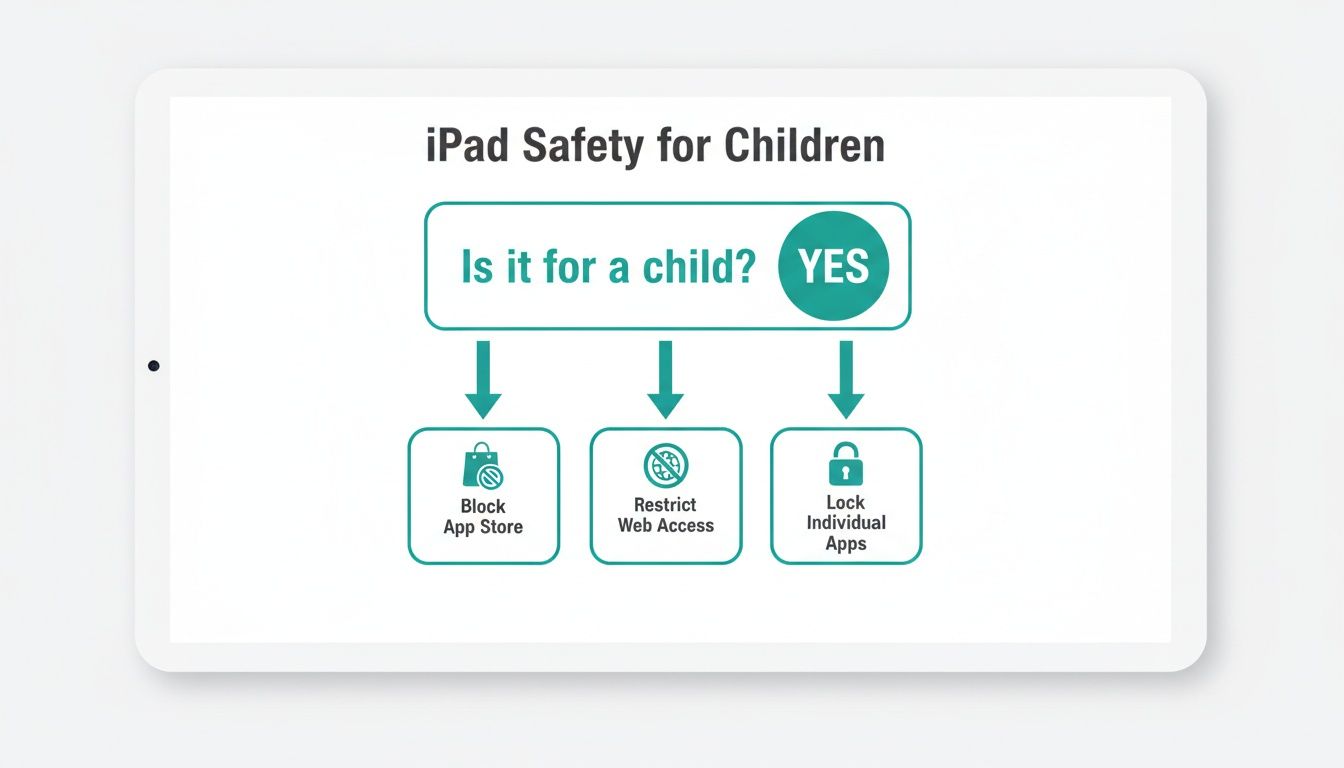
By blocking the App Store, restricting web access, and using Guided Access to lock the device to a single app, you create a totally controlled environment for your little one.
Comparing Video Download Methods for Your iPad
Here’s a quick look at the easiest and safest ways to get offline videos for your toddler, highlighting the pros and cons for busy Muslim parents.
| Method | What It Is | Best For | Key Benefit |
|---|---|---|---|
| In-App Downloads | Using the download feature within apps like Babymode or Netflix. | Parents who want maximum convenience and safety with pre-vetted content. | Simplicity. One-tap downloads mean no fuss and guaranteed offline access. |
| iTunes/Finder Sync | Transferring video files you own from a computer to the iPad. | Families with an existing library of purchased movies or homemade videos. | Total Control. You own the files and can manage them without a subscription. |
| Files App Storage | Saving video files directly to the iPad's Files app. | Tech-savvy parents comfortable with managing files across different cloud services. | Flexibility. It works with various file types and cloud storage providers. |
Ultimately, using a trusted app with a built-in download feature is the path of least resistance and offers the most peace of mind.
Opting for a premium, subscription-based app is often the safest choice. Let's be honest, as iPad users, we're already in an ecosystem where paying for quality, ad-free experiences is standard. In 2024, Apple's App Store ecosystem was behind nearly $1.3 trillion in billings, and data from sources like ElectroIQ consistently shows that iOS users spend more on subscriptions. This isn't just a trend; it shows that parents value the security and curated experience that comes from a trusted service.
The goal is to find a platform whose values align with your own. For many Muslim families, that means looking for services that go beyond just being "kid-safe" and actively provide content that’s spiritually enriching. Taking the time to explore different options for halal baby videos will help you find the perfect fit for your family’s beliefs. When you use trusted apps with offline capabilities, you're not just building a convenient video library—you're curating one that’s completely in line with your faith.
Keeping Your iPad Organized and Clutter-Free
We’ve all been there. You’re rushing to download a new video for your toddler before a flight, only to get that dreaded "Storage Full" notification. But managing your library of downloadable videos for your iPad doesn't have to be another headache. A little bit of routine is all it takes to keep the device running smoothly and always have fresh content at the ready.
First things first, get a quick snapshot of your storage situation. Just head over to Settings > General > iPad Storage. You'll see a clear, colorful bar showing exactly what's eating up all that space. Spoiler alert: it's almost always video apps.
Get into a Download-and-Delete Rhythm
Instead of letting downloaded videos pile up until the iPad grinds to a halt, it's much easier to create a simple rhythm that works for your family. Think of it like rotating library books—you bring new ones in and take the old ones out. This keeps things fresh for your little one and frees up precious memory on the iPad.
Here’s a simple system that many parents swear by:
- Pre-Trip Prep: Before a long car ride or flight, download a small, curated batch of videos. Just enough to get you through the journey.
- Post-Trip Cleanup: Once you're back home and unpacked, take a quick minute to delete those travel videos.
- Weekly Refresh: Pick a consistent time, maybe Sunday evening, to clear out the week's watched content and grab a few new things for the week ahead.
This simple habit stops your iPad from becoming slow and cluttered, ensuring it’s always ready to go when you need it most.
Tame the Chaos with Smart Playlists
To make life even simpler, create playlists right inside your video app. This little trick helps you find the perfect content for any situation without frantically scrolling through a sea of thumbnails while your toddler’s patience wears thin.
Creating themed playlists like 'Quiet Time Nasheeds' or 'Morning Cartoons' not only keeps your video library organized but also helps you intentionally match the content to your child's mood and your daily routine.
For example, you could have a "Jummah Prep" playlist with calming videos about good manners or a "Travel Time" playlist filled with more engaging stories.
And a pro tip: to really maximize your iPad's storage, learning the best way to compress large video files is a game-changer. Smaller file sizes mean you can fit more videos without losing quality—a huge win when you’re packing for a long trip.
Why Babymode Is a Trusted Choice for Muslim Families
Finding content that’s genuinely safe, enriching, and aligned with our Islamic values for our little ones can feel like an impossible task. We want to protect their innocence and nurture their fitra, but so many mainstream apps are a minefield of ads, weird algorithms, or ideas that just don't sit right with our family. This is exactly why an app built by Muslims, specifically for Muslim families, is such a game-changer.
Babymode was born out of this very real need. It isn't just another kids' app with a token "Islamic" section. Instead, every single piece of content has been thoughtfully created from scratch to be gentle, educational, and completely in tune with Muslim family life. That focus gives us the peace of mind we're all looking for when it comes to screen time.
A Safe Haven for Your Little One
The entire Babymode experience is what you might call a 'walled garden'—it’s designed from the ground up to be a completely safe space, free from all the things that cause parents stress.
- 100% Ad-Free: You’ll find zero commercials, product placements, or third-party ads. Ever. Your child's viewing time won't be interrupted by messages you haven't approved.
- No Algorithms or Autoplay: The app never pushes random videos. You have total control over what your child sees, which gets rid of that worry they might accidentally click on something inappropriate or overstimulating.
- Islamically Reviewed Content: Every video, whether it's a simple nasheed about Allah's creation or a story about good manners, has been carefully reviewed to make sure it's gentle and perfectly suited for the youngest minds.
Think of Babymode as a partner in your parenting. It helps you introduce those foundational Islamic concepts in a soft, loving, and age-appropriate way, without any of the noise from mainstream platforms.
Effortless Offline Access for Your Busy Life
Life with a toddler is anything but predictable, and a solid Wi-Fi connection isn't always a guarantee. Having reliable offline entertainment is a lifesaver, whether you're in the car on the way to Jummah, waiting at the doctor's office, or on a long flight to visit relatives.
Babymode gets this. With a simple one-tap download feature, you can save your child's favorite videos directly to your iPad. This lets you build a library of downloadable videos for your iPad that’s always ready to go, no internet required.
This feature is more important than ever. Mobile devices now account for about 53.4% of all web usage, and video apps are a massive part of that, pulling in around 3.1 billion downloads in 2023 alone. As more parents move away from wide-open platforms, the iPad's big screen and offline capabilities make it the perfect home for a curated video library. You can dive deeper into these mobile app trends and their global impact by exploring the full download statistics on Tekrevol.com.
By offering a simple, secure download option, Babymode gives you a trusted tool that fits perfectly into your modern, faith-centered family life.
Parent FAQs: Your Top Questions About iPad Videos Answered
Getting your toddler set up with offline videos on an iPad is a great step, but it's totally normal to still have some questions floating around. Let's face it, bringing screens into our little one's life is a big deal. Here are a few of the most common things parents ask, with straightforward answers to help you feel great about your setup.
"Is an iPad really safe for my toddler?"
Yes, it absolutely can be. The secret isn't in the device itself, but in how you set it up. Think of it as creating a secure, parent-approved digital playpen.
When you use the iPad’s own powerful tools like Screen Time and Guided Access, you put up the necessary guardrails. Locking your child into a single, safe app and blocking access to things like the App Store or web browser instantly removes most of the risk. Pair that with trusted, pre-downloaded content from a source like Babymode, and you've effectively shut the door on ads, questionable algorithms, and surprise content.
"How much storage space do I actually need for videos?"
This is a fantastic question, and you’ll probably be happy to know the answer is "less than you think!" A standard 5-minute cartoon for a toddler usually lands somewhere between 50MB and 200MB.
What does that mean in the real world? Even a basic 64GB iPad has plenty of room for dozens of videos—more than enough for a long car ride or a week of quiet time.
Pro Tip: Don't feel like you need to hoard videos. A better strategy is to create a simple rotation. Download a fresh batch for the week or a trip, and once they've been watched, delete them to make space. It keeps the iPad from getting cluttered and ensures there’s always room for new favorites. You can always check your space in
Settings > General > iPad Storage.
"Why can't I just download videos from YouTube?"
It's a fair question, especially since YouTube Premium offers downloads. But using YouTube, even the Kids version, is a fundamentally different experience than using a curated app. The entire YouTube ecosystem is built to do one thing: keep you watching. Its algorithms are designed to serve up one video after another, and even with filters, things can slip through that you might not find appropriate.
For young children, especially those under three, nothing beats the peace of mind that comes from a completely closed, curated environment. When every video has been hand-picked and reviewed to be gentle, age-appropriate, and in line with your family's values, you're not just downloading a clip—you're guaranteeing a safe and positive screen time experience.
For a truly worry-free experience with downloadable videos for your iPad, consider joining the waitlist for Babymode. Our platform is designed from the ground up to be a safe, halal, and enriching space for Muslim toddlers, with simple one-tap downloads for offline viewing.